
CISSP Domain 5: Identity and Access Management (IAM)
A full tour of Domain 5 of the CISSP exam - Identity and Access Management (IAM) - worth 13% of the exam under ISC2's exam outline effective 15 April 2024, tied with three other domains for the largest single weighting.
This video works through every sub-domain of Domain 5 in order: controlling physical access (badges, mantraps, visitor logs, guards, CCTV) and logical access to systems, applications and services, built around least privilege; identification, authentication, authorization and accounting (the AAA model); authentication factors, multi-factor authentication and passwordless authentication built on FIDO2/WebAuthn; biometrics and the false acceptance rate, false rejection rate and crossover error rate (ISO/IEC 19795-1); current password guidance under NIST SP 800-63B Revision 4 (finalised 2025), which now prohibits forced rotation absent evidence of compromise, plus credential management systems and password vaults; session management and session hijacking; identity registration and proofing before a credential is ever issued; managing users through groups and roles; single sign-on and just-in-time privileged access; federated identity management across on-premises, cloud and hybrid environments; Kerberos - the ticket-granting ticket, the key distribution centre, and golden-ticket and pass-the-ticket attacks; OpenID Connect and OAuth 2.0 (RFC 6749, 2012); SAML (OASIS, 2005); RADIUS (RFC 2865, 2000) and TACACS+ (RFC 8907, 2020); all six authorization models - RBAC, rule-based, risk-based, MAC, DAC and ABAC, with policy decision and enforcement points; and the full identity and access provisioning lifecycle, including access reviews, privilege escalation (sudo) auditing and service account management.
It closes with a real, named case - the 2024 Snowflake-customer credential-stuffing campaign - alongside credential stuffing, password spraying, session hijacking and federation-token replay as access-control attack patterns, a full recap, fifteen exam-style questions with explained answers, and how Domain 5 connects to the other seven CISSP domains.
Every figure is on screen with its source and date.
Educational documentary. Not financial or investment advice.
Tags
Chapters
- Learning objectives and domain weighting
- Why IAM is the gatekeeper domain
- Controlling physical access
- Controlling logical access to systems and services
- Identification, authentication and AAA
- Authentication factors, MFA and passwordless
- Biometrics: FAR, FRR and CER
- Password guidance and credential management
- Session management
- Registration, proofing and establishment of identity
- Groups and roles
- Single sign-on and just-in-time access
- Federated identity: on-premises, cloud and hybrid
- Kerberos: tickets, the KDC and how attacks work
- OpenID Connect and OAuth
- SAML
- RADIUS and TACACS plus
- Authorization models I: RBAC, rule-based, risk-based
- Authorization models II: MAC, DAC and ABAC
- The identity and access provisioning lifecycle
- Access reviews, privilege escalation and service accounts
- Access-control attacks: worked examples
- Domain 5 review
- Exam-style practice questions, part one
- Exam-style practice questions, part two
- Exam-style practice questions, part three
- Where Domain 5 fits and next in the series
Video notes
1. Learning objectives and domain weighting

Welcome to this training module on Domain 5 of the CISSP exam: Identity and Access Management, usually shortened to IAM.
By the end of this module you will be able to explain how an organisation controls physical and logical access, and how identification, authentication, authorization and accounting fit together. You will also be able to explain how identity is federated across organisations, how the main authorization models differ, and how an account is managed from the day it is created to the day it is closed.
Under ISC2's exam outline, Domain 5 is worth thirteen per cent of the exam. That outline took effect on 15 April 2024. Thirteen per cent ties Domain 5 with three other domains for the largest single weighting. The exam itself runs on a Computerized Adaptive Testing format, a hundred to a hundred and fifty questions long, with a pass mark of seven hundred out of a thousand.
Thirteen per cent makes Domain 5 one of the four biggest single topics on the exam, and it earns that weight honestly. Every other domain eventually asks who was allowed to do that. The answer always comes from here.
This module takes every sub-domain of Domain 5 in order. First, controlling physical and logical access, identification and authentication, and the AAA model. Then authentication factors, passwordless login, biometrics, passwords and credential management, and sessions. After that, identity registration and proofing, groups and roles, single sign-on, just-in-time access, and federated identity. Finally, Kerberos, OpenID Connect and OAuth, SAML, RADIUS and TACACS plus, the authorization models, and the full provisioning lifecycle.
Each chapter defines its terms, works through at least one real-world scenario, then closes with key points and an exam tip: how ISC2 tends to test the idea, and the trap candidates fall into. At the end, a full recap, then exam-style review questions with explained answers.
Let's begin.
2. Why IAM is the gatekeeper domain

Open almost any serious security incident, and somewhere in the middle of the story sits one question: who was allowed to do that?
A ransomware operator did not pick a lock. They used a password a help-desk agent handed over. A contractor copied a customer database. They used an account nobody had closed after the contract ended. An insider moved money that was not theirs. They used a role nobody had reviewed in two years. Identity and access management is the domain that decides who gets in, and what they are allowed to touch once they are inside. Every other domain protects something; this domain decides who is trusted to reach it.
This module is part five of an eight-part series covering the whole CISSP Common Body of Knowledge, one domain per video. In that sequence, IAM sits after Domain 3, security architecture and engineering, which builds the systems. It sits before Domain 7, security operations, which watches whether those systems' controls are actually followed. IAM is the layer that connects the two: architecture decides what controls exist, operations watches them run, and IAM decides who the controls apply to.
That is why this domain carries so much weight on the exam, and why it carries so much weight in practice. A perfectly designed system with no access control is not a secure system; it is a secure design waiting for someone to walk through an open door.
3. Controlling physical access

Logical controls mean nothing if someone can simply walk up to the server and unplug it, or walk out with the laptop. Physical access control is the set of measures that decide who can reach a building, a room or a device in the first place.
The usual layers run from the outside in. A perimeter fence or barrier, then a staffed reception desk checking identification, then an electronic badge reader on each secure door. Finally a mantrap — a small airlock-like space with two doors that only ever has one of them open, so a single badge cannot let two people through together. Visitor logs record who entered as a guest and when they left, and guards and CCTV cameras add a human, recorded check on top of the badge system itself.
Here is a worked example. A data-centre operator reviews camera footage and finds that an employee held the secure door open for a second person who had no badge of their own. That is a common trick called tailgating: walking in close behind someone who has already been let through. The second person turned out to be an authorised contractor running late, so no harm was done. But the review exposed a real gap — badge readers alone cannot stop a door being held open by a person who means well.
The fix in a case like that is a mantrap on the most sensitive doors, so holding a door for someone is physically impossible rather than merely against policy. Staff also need training that holding a secure door for anyone, badge or no badge, is against the rules. Good intentions are not checked at the door.
Exam tip: ISC2 tests layered physical controls — no single control, including a mantrap, is treated as sufficient on its own. Expect a question to reward the answer that combines a physical barrier with a procedural one, such as a mantrap plus a strict no-tailgating policy, over either alone.
4. Controlling logical access to systems and services

Once someone is physically present, or connecting from anywhere at all over a network, logical access control decides what they can actually see and do inside a system. The current exam outline added one word to this sub-domain that is worth noticing: services. Older outlines covered information, systems, devices and facilities. The current one adds services explicitly, reflecting how much work now runs as a cloud service rather than a system you can point at in a room.
Logical access is enforced through accounts, permissions and the principle of least privilege. Every account gets the smallest set of permissions it needs to do its job, and nothing more. A warehouse-management service account needs to read and write stock levels. It does not need to read customer payment records, even if the two happen to live in the same database.
Consider a worked example. A cloud storage bucket holding product images is created for a marketing team. During setup, its permissions are copied from an existing bucket, including a step that was meant to be temporary: anyone with the link can read. The marketing team never removes that setting, because nobody notices it is still there. Months later, a security scan finds the bucket is readable by anyone on the internet, not just people with a shared link, and it has been sitting that way since it was created.
Nothing in that bucket was stolen through a clever attack; it was simply left open, and the open setting outlived the reason it was switched on. That is why over-permissioning is treated as a serious finding on its own, even with no evidence anyone has misused it yet.
Exam tip: ISC2 frequently tests least privilege as the default answer to what went wrong questions about access. When a scenario describes an account, a service or a bucket with more access than its job requires, the correct answer is almost always to narrow that access, not to add a separate detection control on top of it.
5. Identification, authentication and AAA

Four words get used almost interchangeably in everyday speech, and the exam expects you to keep them apart. Identification is claiming an identity — typing a username, swiping a badge, saying your name. Authentication is proving that claim is true, usually with a password, a code or a fingerprint. Authorization is deciding what that now-proven identity is allowed to do. Accounting is recording what it actually did.
Put in order: identification claims who you are, authentication proves it, authorization decides what you can touch, and accounting writes down what happened. The current exam outline groups authentication, authorization and accounting together as one topic, AAA. In a working system, those three always happen as a single connected sequence, one after another, for every access attempt.
Take a worked example. A help-desk agent gets a call from someone claiming to be a manager, asking for a password reset because they are locked out before an urgent meeting. The caller knows the manager's employee number and department, both of which are easy to find from an email signature or an internal directory. The agent resets the password without confirming the caller's identity through a second channel, and the real manager had never called at all.
That failure happened entirely at the identification step: the caller claimed an identity, and the agent accepted the claim as if it were already authenticated. Strong authentication further down the line cannot fix a process that skipped verifying who was asking in the first place.
Exam tip: ISC2 loves a question that describes a scenario and asks which of the four AAA stages failed. The giveaway is usually in the verb. Claimed to be points to identification. Proved they were points to authentication. Was allowed to points to authorization. And the log showed points to accounting.
6. Authentication factors, MFA and passwordless

Authentication rests on factors — categories of proof that you are who you claim to be. There are three classic ones. Something you know, such as a password or a PIN. Something you have, such as a phone, a hardware key or a smart card. Something you are, a biometric trait such as a fingerprint or a face.
Single-factor authentication uses one of those three categories alone, almost always a password. Multi-factor authentication, or MFA, combines two or more different categories — a password plus a code from a phone app satisfies know plus have. Two passwords together are not MFA. They are both the same factor, something you know, and anyone who steals one has usually learned how to steal the pattern behind the other.
Newer still is passwordless authentication, built on a standard called FIDO2 and its web component, WebAuthn. Instead of a shared secret sent to a server, your device holds a private key and proves it has that key without ever sending it anywhere. The server only ever sees proof, never the secret itself.
WebAuthn's first version became a web standard in 2019. A later version, Level 3, extended it in 2026, refining how the same proof-of-possession idea works across synced passkeys and multiple devices.
Here is how that plays out in practice. A company with a history of phishing emails rolls out phishing-resistant MFA: hardware security keys built on the FIDO2 standard, instead of codes sent by text message. An attacker can still trick an employee into typing a password on a convincing fake login page. But the hardware key will not respond to that fake page at all, because it checks it is talking to the real site before it answers. Text-message codes have no such check, which is why they can still be phished even though they count as a second factor.
Exam tip: ISC2 tests the distinction between a second factor and a second factor that resists phishing. Codes sent by text message or app are MFA, but they are not phishing-resistant. Hardware keys and passkeys built on FIDO2 and WebAuthn are the answer when a question specifically asks for phishing resistance.
7. Biometrics: FAR, FRR and CER

A biometric system never gets a match perfectly right every time; it has to be tuned, and tuning always trades one kind of mistake for another. False acceptance rate (FAR), sometimes called the false match rate, is how often the system wrongly lets an impostor in. False rejection rate (FRR), sometimes called the false non-match rate, is how often it wrongly turns away the genuine person. Both are defined in the international testing standard ISO IEC 19795-1.
The two rates move in opposite directions as a system's matching threshold changes. Loosen the threshold to let more genuine people through easily, and FAR rises, because more impostors slip through too. Tighten it to keep impostors out, and FRR rises, because more genuine people get wrongly rejected. The point where the two rates are equal is called the crossover error rate (CER), a single number often used to compare how good different biometric systems are overall.
Consider how this plays out in practice. An airport sets up fingerprint scanners for airline staff entering a secure area, and a trial finds the factory-default threshold rejects too many genuine staff on busy mornings, costing time at every gate. Loosening the threshold cuts those rejections, but security review flags that it also lets in more false matches than the airport is willing to accept for a secure area.
The airport settles on a threshold tighter than the crossover point. It deliberately accepts a higher false-rejection rate — more staff occasionally re-scanning. The cost of a wrongly rejected employee is only an inconvenience, while the cost of a wrongly accepted impostor in a secure area is far worse.
Exam tip: ISC2 tests that a lower CER means a better biometric system overall, and that a security-sensitive deployment deliberately accepts a higher FRR to push FAR down, because the two cannot both improve at once on the same sensor.
8. Password guidance and credential management

Password advice has changed more in the last decade than almost anything else in this domain, and the exam expects the current version, not the version many security awareness posters still show.
NIST's guidance has moved in clear steps. In 2017, the agency first discouraged forced periodic password changes, a break from decades of advice telling users to change passwords every ninety days regardless of need. By 2020, the next revision still allowed organisations to require complex mixes of characters. The current edition, finalised in 2025, goes further. It prohibits mandatory periodic rotation unless there is actual evidence of compromise. It also bans arbitrary complexity rules outright, requiring systems instead to accept long passphrases and check new passwords against known breach lists.
The reasoning behind the change is simple. Forced rotation and complexity rules push people toward predictable patterns — "Password1," then "Password2" — which are easier, not harder, for an attacker to guess. A long, unique passphrase that never has to change on a schedule is both easier to remember and harder to crack.
This is where credential management systems and password vaults earn their place. A vault stores every account's credential, encrypted, behind one strong master credential. A person or a service never has to remember dozens of separate passwords this way. A long random password becomes practical for every account, rather than a burden the user works around by reusing one weak one everywhere.
Here is a worked example of the change in practice. A mid-size company retires its forced ninety-day rotation policy after a security review, replacing it with a passphrase length requirement, a breach-list check on every new password, and mandatory MFA on every account that can reach sensitive data. Helpdesk password-reset tickets, previously a steady monthly flood driven by forgotten rotated passwords, drop sharply within the first quarter.
NIST, the National Institute of Standards and Technology, is the US federal agency that writes this guidance, and every organisation that touches US federal systems is expected to follow it. Its SP 800-63B document is one of the most widely cited password standards in the world, well beyond government use alone.
Exam tip: ISC2 now tests current NIST guidance, not older advice: forced rotation without evidence of compromise is the wrong answer, length and breach-checking are the right one.
9. Session management

Logging in is not a single moment; it opens a session — a period during which the system trusts you without asking for your password again on every single action. Managing that trust safely is its own discipline.
When you log in, the server issues a session token, usually stored in a cookie in your browser. Your browser sends that token back with every request, so the server knows it is still talking to the same authenticated person. A session timeout closes that trust automatically after a period of inactivity, so a laptop left unlocked in a cafe does not stay logged in forever. The length of that timeout is a trade-off between convenience and risk, shorter for a banking site than for a forum.
The danger is session hijacking: if an attacker steals that token, rather than the password, they can act as the logged-in user without ever knowing the password at all, for as long as the token stays valid.
Here is how that risk plays out. An employee logs into a corporate web application over an unsecured public Wi-Fi network at a coffee shop. An attacker on the same network intercepts the session cookie as it travels, unencrypted, between the laptop and the server. The attacker loads that same cookie into their own browser and is immediately logged in as the employee, completely bypassing the login page, the password and any MFA check the employee had already passed.
Exam tip: ISC2 tests that encrypting traffic end to end (TLS) and short, carefully scoped session timeouts are the core defences against hijacking — strong login credentials do not help once a session token itself has already been stolen.
10. Registration, proofing and establishment of identity

Everything in this module so far has assumed an identity already exists. This chapter is about how one gets created in the first place, carefully enough to be trusted later.
Registration is the act of applying to be issued an identity — filling in a form, applying for an account. Identity proofing is the harder step: checking that the person applying is really who the application claims, usually by examining a government-issued document, matching a live photo or fingerprint against it, or both. Only once proofing succeeds does the organisation move to establishment: actually issuing the credential that identity will use from then on.
Consider how one bank handles this. A new online bank wants to open accounts entirely remotely, with no branch visit. An applicant photographs their passport and takes a live selfie through the bank's app. Software checks the passport's security features for signs of tampering. It then compares the selfie against the passport photo for a match, including a liveness check to make sure the "selfie" is a real person in front of the camera rather than a printed photo held up to it.
Only once both checks pass does the bank establish the account and issue login credentials. If either check fails — a mismatched face, a document that looks altered — the application is routed to a human reviewer rather than approved automatically. Wrongly proofing a fraudulent identity at account opening costs far more than a short delay for a genuine customer.
Exam tip: ISC2 tests that proofing must happen before establishment, never after. Issuing a working credential first and checking the person's real identity later defeats the entire purpose of proofing.
11. Groups and roles

Managing permissions one account at a time does not scale past a handful of people, which is why organisations manage access through groups and roles instead, now its own named sub-topic in the 2024 exam outline.
A group is simply a named collection of accounts. Permissions are granted to the group once, and every member inherits them. A role is similar but tied to a job function rather than a list of named people — "finance analyst" rather than a specific list of employees. When someone moves into that job, they are added to the role, and the right permissions follow automatically.
The appeal is obvious. Grant read access to a shared drive to two hundred people at once, through one group, rather than granting it individually two hundred times — and remove it just as fast when policy changes.
Here is a worked example of that drift. A company reorganises its sales division into three smaller regional teams. Staff are added to their new regional groups straight away. But nobody removes them from the old, single combined sales group, because it still works for the handful of systems the new groups have not yet been wired into. A year later, an access review finds dozens of staff still carrying permissions from a group their job no longer matches, inherited quietly through old membership nobody thought to clean up.
Exam tip: ISC2 tests that groups and roles reduce administrative overhead but do not remove the need for periodic review. Stale memberships accumulate silently, precisely because adding someone to a group feels like one small action. There is no obvious moment that calls for removing them again.
12. Single sign-on and just-in-time access

Two more techniques sit alongside groups and roles for managing access at scale: letting one login reach many systems, and letting elevated access expire on its own.
Single sign-on (SSO) lets a user authenticate once and reach every connected application, without logging in again to each one separately. It usually works through a federated identity exchange, covered in the next two chapters. Just-in-time (JIT) privileged access grants an elevated permission only for a limited window, for a specific task, then automatically revokes it. That beats leaving a powerful permission switched on indefinitely, just in case it is needed again.
Both solve a real problem, and both create a new one of their own if the piece they depend on fails.
Here is what that risk looks like in practice. A company's SSO provider suffers an outage during a software update. Staff who were already logged in before the outage keep working. But anyone whose session expires during the outage, or who tries to log in fresh, is locked out of every single connected application at once. Email, the ticketing system, the finance platform — all through the same failed front door. What was convenient when it worked becomes a single point of failure the moment it does not.
Exam tip: ISC2 tests that SSO's convenience comes with concentrated risk: a single compromised or unavailable identity provider can affect every connected service at once, which is why SSO deployments need their own resilience planning, not just a resilience plan for each downstream application separately.
13. Federated identity: on-premises, cloud and hybrid

Single sign-on inside one organisation is straightforward enough. Federated identity management (FIM) extends the same idea across organisational boundaries, so a user can authenticate with their own organisation and be trusted by someone else's system entirely.
In a federation, the user's own organisation runs the identity provider (IdP), which does the actual authenticating. The other organisation's system is the service provider (SP), which trusts an assertion from the identity provider instead of running its own separate login. This can run on-premises, with both sides operating their own servers. It can run in the cloud, where one or both sides use a cloud identity service. Or it can run as a hybrid mixing the two, which is now the most common arrangement in practice.
Consider a worked example of federation in practice. A university in Oxford runs a joint research programme with a partner institution in Berlin. Researchers at each site need to use shared datasets and computing resources hosted by the other. Rather than issuing every visiting researcher a brand-new local account, the two universities federate their identity systems. A researcher logs in with their own university's credentials, and the partner site's systems trust that login through the federation, without ever seeing the researcher's actual password.
Neither university's IT staff have to manage accounts for people who were never really their own staff or students. And when a researcher leaves their home university, that one account closing removes their access everywhere in the federation at once, rather than leaving a separate forgotten account open at the partner site.
Exam tip: ISC2 tests the identity provider and service provider split as the core of federation: the IdP authenticates, the SP trusts the assertion and authorizes access, and confusing which side does which is the most common wrong answer on federation questions.
14. Kerberos: tickets, the KDC and how attacks work


Federation trusts an assertion from somewhere else. Kerberos solves a related but different problem: letting someone authenticate once inside their own network and be trusted by many internal services afterward, without ever sending their password to any of those services directly.
Kerberos was developed at MIT, as part of Project Athena, in the 1980s. It still underpins authentication inside most corporate Windows networks today. At its centre sits a trusted Key Distribution Centre (KDC). A user authenticates to the KDC once and receives a ticket-granting ticket (TGT), proof of that one authentication. From then on, whenever the user wants to reach a specific service, they present the TGT to the KDC. The KDC issues a service ticket for that service alone — never retyping a password, and never sending it to the service itself.
The design is elegant, but a stolen ticket is as dangerous as a stolen password, sometimes more so.
A golden ticket attack forges a ticket-granting ticket itself, using a stolen master key from the KDC. That lets an attacker impersonate any user on the network, including the most privileged administrator accounts, for as long as the forged ticket remains valid — sometimes far longer than any legitimate ticket would last. A pass-the-ticket attack is narrower. The attacker steals an already-issued, genuine ticket from one compromised machine and reuses it on another, without ever needing the victim's password at all.
Here is a worked example of the second. An attacker has already compromised one ordinary workstation. They extract a cached ticket from its memory and reuse it elsewhere on the network — a pass-the-ticket move. That lets them reach systems the workstation's original user was never authorised to touch, riding on a ticket that was legitimately issued to someone else.
MIT's own campus is where this whole protocol was born, inside the Project Athena initiative, long before Kerberos became the default authentication engine quietly running under the surface of most corporate networks today.
Exam tip: ISC2 tests that Kerberos removes repeated password transmission but shifts the risk to the tickets themselves and to the KDC, which is why KDC security is treated as critical infrastructure, not an ordinary server.
15. OpenID Connect and OAuth

Two protocols get confused constantly because they are often used together, and the exam tests the difference precisely. OAuth 2.0 was standardised in an IETF document published in 2012. It is about authorization delegation: letting one application access specific data on another service, on a user's behalf, without ever seeing that user's password.
OAuth answers whether an app may read a piece of data, such as a calendar. It issues a limited-scope access token to the requesting application, good for a defined set of actions, rather than handing over full account access. OpenID Connect (OIDC) is built as a thin authentication layer on top of OAuth, answering a different question entirely: who the person actually is. OIDC adds an identity token carrying basic facts about the user — a name, an email address — on top of OAuth's access-delegation machinery.
Consider a familiar worked example. A travel booking website offers a sign in with button for a large email provider's account. Clicking it sends the user to the email provider's own login page, never the travel site's. The email provider then asks the user to approve two things separately: confirming who they are, which is OpenID Connect, and allowing the travel site limited access to their profile information, which is OAuth. The travel site never sees the user's email password at any point in that exchange.
If the travel site is later breached, the attacker who steals its database finds only the limited token it was issued, not the user's actual email credentials, which were never shared with the travel site at all.
Exam tip: ISC2 tests this split directly: OAuth authorizes access to data; OpenID Connect authenticates who the person is. A question describing a sign in with button usually tests whether you can name both halves of what is actually happening behind it.
16. SAML

Before OAuth and OpenID Connect became common, enterprise federation already had a working answer: SAML, the Security Assertion Markup Language, ratified as an OASIS standard in March 2005 and still widely used for enterprise single sign-on today.
SAML works by exchanging an assertion — a signed, structured document — between an identity provider and a service provider, the same two roles introduced in the federated-identity chapter. The identity provider authenticates the user, then issues a SAML assertion stating who they are and what attributes apply to them. The service provider checks the assertion's digital signature, trusts it, and grants access without running its own separate login.
That trust depends entirely on the signature being verifiable, and the thing that makes a signature verifiable is a certificate, which can expire.
Here is how fragile that trust can be. A company's enterprise SSO portal is built on SAML, with the identity provider's signing certificate renewed manually once a year. One year, the renewal is missed, and the certificate expires at midnight. Every service provider across the company, from email to the expense system, starts rejecting every assertion the identity provider issues, because the signature on each one now fails to verify. Every connected application locks out every employee simultaneously, at the exact moment the certificate's validity period ends.
Exam tip: ISC2 tests that a SAML federation's signing certificate is a single point of failure for the whole federation, which is why certificate expiry monitoring and automated renewal are treated as a security control in their own right, not just routine IT housekeeping.
17. RADIUS and TACACS plus

Federation authenticates people reaching applications. Two older protocols handle a narrower, still very common job: authenticating people and devices reaching the network itself.
RADIUS began as a protocol created by Livingston Enterprises in 1991. It was formalised as an IETF standard in the year 2000. RADIUS centralises authentication for dial-up, VPN and Wi-Fi access, combining authentication and authorization into a single exchange. TACACS plus was documented in a separate IETF document in 2020. It began as a Cisco protocol, and it is used mainly for device administration — controlling who can log into and configure routers and switches themselves. Unlike RADIUS, it separates authentication, authorization and accounting into distinct steps.
That separation is the practical reason the two protocols are not simply interchangeable.
Consider how one network team chose between them. A network team needs centralised authentication for two different jobs: employees connecting to the corporate VPN from home, and network engineers logging into routers to change their configuration. They choose RADIUS for the VPN, where combined authentication and authorization is fast and sufficient. For the routers, they choose TACACS plus, because they specifically want to authorize individual configuration commands separately and log each one — a level of per-command detail RADIUS was never designed to provide.
Exam tip: ISC2 tests that TACACS plus separates authentication, authorization and accounting. RADIUS combines them instead. A question naming granular, command-level authorization on network devices is pointing at TACACS plus, not RADIUS.
18. Authorization models I: RBAC, rule-based, risk-based

Having proved who someone is, a system still has to decide what they can do. The CISSP outline names six authorization models, split here across two chapters. The first three share a common thread: they decide access through a defined logic applied consistently, rather than through anyone's personal judgement in the moment.
Role-based access control (RBAC) grants permissions to roles, not individual people, exactly as described in the groups-and-roles chapter — the dominant model for everyday enterprise access. Rule-based access control applies fixed if-then rules regardless of who is asking. Block all traffic from this country, deny access outside business hours — the same rule for everyone, every time. Risk-based access control is more dynamic. It scores the current situation, such as an unusual location or an unfamiliar device. Then it demands stronger proof, or blocks access outright, when that score looks risky.
Take a worked example from banking. A bank's online platform normally lets a customer log in with a password alone from their usual phone and location. One evening, the same account attempts to log in from an unfamiliar country, on a device the system has never seen. Risk-based access control recognises both signals and scores the attempt as high-risk. It then automatically demands a second factor — a one-time code sent to the customer's registered phone — before the login is allowed to proceed.
The customer's role and the fixed login rules have not changed at all; what changed was the risk score attached to this particular attempt, which is exactly the behaviour risk-based access control is built to add on top of a role- or rule-based foundation.
Exam tip: ISC2 tests that risk-based access control is dynamic and situational, reacting to signals like location and device, while RBAC and rule-based access control apply the same fixed logic every time regardless of context.
19. Authorization models II: MAC, DAC and ABAC

The second group of three models answers the question differently: who gets to decide the rule in the first place, and how many factors can that rule actually weigh?
Mandatory access control (MAC) enforces access through fixed classification labels set centrally — Top Secret, Secret, Confidential. No individual user, however senior, can override them. This is the model of classified government and military systems. Discretionary access control (DAC) does the opposite. The owner of a resource decides, at their own discretion, who else can access it. That is the model behind an ordinary office file-sharing system, where a document's owner grants or revokes access themselves.
Attribute-based access control (ABAC) is the most flexible of these models. It decides access from any combination of attributes at once — the user's department, the time of day, the sensitivity of the record, the device being used. A policy engine weighs them together, rather than relying on a single fixed role or label.
Underpinning all of this is a standard pattern. The policy decision point (PDP) evaluates the applicable rules and attributes and decides whether to allow a specific request. The policy enforcement point (PEP) is the system component that actually carries out that decision, granting or blocking the request at the point of use.
Consider a worked example from government. A government system holding classified records enforces MAC labels strictly. No user, regardless of job title, can open a record marked above their own clearance level, full stop — no owner-level override is possible at all. Within that same system, ABAC adds a further, finer check on top of the MAC label. Even a user with the correct clearance can be blocked from a specific record outside their assigned case, because the policy engine also weighs which case the record belongs to, not clearance alone.
Exam tip: ISC2 tests that MAC is centrally enforced and cannot be overridden by an owner; DAC puts that discretion in the owner's hands; ABAC can combine attributes other models cannot reach on their own.
20. The identity and access provisioning lifecycle

Every account passes through a predictable lifecycle, and most access-related security failures happen at one of its edges, not in the middle.
Provisioning creates an account and grants its initial permissions when someone joins. Role transition adjusts those permissions as the person's job changes. Critically, it should remove the permissions the old role needed, not only add the new ones. Deprovisioning closes the account and removes all its access when someone leaves — ideally at or before the moment their employment actually ends, not sometime afterward.
The theory is simple to state and, in practice, the edge most often missed is the last one.
Here is a worked example of that gap. An employee resigns and works out a two-week notice period, then leaves. HR processes the resignation and tells IT the role is now vacant, but a mismatch between HR's offboarding checklist and the IT ticketing queue means the actual account-disabling ticket is not raised for several more weeks. Throughout that whole gap, the departed employee's remote-access and email accounts remain fully active and untouched, exactly as they were on their last working day.
Nobody in this scenario used that lingering access for harm, but the exposure existed for weeks regardless, purely because deprovisioning was treated as the last, least-automated step in a chain of handoffs between two different teams.
Exam tip: ISC2 tests that deprovisioning must be as automatic and timely as provisioning — a lifecycle that is fast to grant access and slow to remove it is, by definition, not a complete lifecycle at all.
21. Access reviews, privilege escalation and service accounts

Provisioning and deprovisioning handle the obvious moments, joining and leaving. Three more disciplines cover everything that can drift quietly in between.
A periodic access review has a manager, or a system owner, actually look at who currently holds access to something and confirm each person still needs it — the formal check that catches exactly the stale group memberships described back in chapter eleven. Privilege escalation is the act of temporarily gaining higher permissions than an account normally holds, most often through a command called sudo on Unix-like systems, and every escalation of that kind should be logged and auditable after the fact, not merely possible. A service account is an account used by a system or an application rather than a human being. It needs the same lifecycle discipline as any other account — arguably more, because nobody notices a service account behaving oddly the way a colleague might notice a person acting strangely.
Consider a worked example of exactly that. An administrator uses sudo to escalate privileges on a production server late one evening, outside their normal working pattern, and copies a large volume of customer data to an external location before the session ends. No alert fires at the time, because the organisation logs sudo sessions but nobody actually reviews those logs unless an incident is already suspected. The unusual copy only comes to light weeks later, during an unrelated audit that happens to look back through the archived logs.
The access itself was never technically unauthorised — the administrator's account genuinely had sudo rights — but nothing was watching for exactly this kind of unusual use of a rarely reviewed privilege.
Exam tip: ISC2 tests that logging privilege escalation is not the same as monitoring it; a control that only works when read after the fact during an unrelated audit has not actually detected anything in time to stop it.
22. Access-control attacks: worked examples

Four attack patterns recur across almost every IAM breach. The real-world record on credential theft specifically is stark. Verizon's 2025 Data Breach Investigations Report studied confirmed breaches worldwide. It found stolen credentials involved in about twenty-two per cent of all of them. For breaches that began with a basic web application attack, that figure rose to eighty-eight per cent.
Credential stuffing takes username-and-password pairs leaked from one breach and tries them automatically against many other sites, betting that people reuse the same password everywhere. Password spraying goes the other way: trying one commonly used weak password against many different accounts, rather than many passwords against one account, specifically to avoid tripping an account-lockout policy built to stop repeated guesses on a single login.
Session hijacking, covered fully in chapter nine, steals an already-authenticated session token rather than a password at all. Federation-token replay is the federated-identity equivalent: capturing a legitimate authentication token issued by an identity provider and reusing it to impersonate the original user at a connected service, without ever needing that user's actual credentials.
Picture the real, publicly reported case. In 2024, attackers struck a cloud data platform called Snowflake. They had not breached Snowflake's own systems at all. Instead, they used credentials stolen earlier by separate infostealer malware to log into roughly a hundred and sixty-five customer accounts that lacked multi-factor authentication. Publicly confirmed affected customers included AT&T and Ticketmaster. Every one of those account logins used a genuine, correct password — just one that belonged to someone else and had been stolen months earlier.
MFA on every one of those accounts would have stopped the campaign outright. A stolen password alone is useless against a second factor the attacker never had. That is exactly why stolen credentials and no MFA appear together in nearly every account-takeover report this field studies.
Exam tip: ISC2 tests that MFA is the single most effective control against all four of these attack patterns. Every one of them depends on a password or a token being sufficient on its own. None of them survives a properly enforced second factor the attacker does not have.
23. Domain 5 review

Let's bring the whole domain back together.
Physical and logical access control decide who can reach a facility, a system or a service at all, with least privilege as the guiding rule throughout. Identification, authentication, authorization and accounting — AAA — form the sequence every access attempt runs through. It is proved with factors from something you know, have or are, increasingly through passwordless FIDO2 methods. Biometrics are measured through FAR, FRR and the crossover error rate.
Passwords are managed through current NIST guidance rather than forced rotation, and sessions are protected against hijacking. Identity itself is established through registration and proofing before any credential is issued. Groups and roles, single sign-on and just-in-time access scale permissions beyond individual accounts. And federated identity, Kerberos, OpenID Connect and OAuth, SAML, RADIUS and TACACS plus each solve a different shape of the same underlying trust problem across a boundary.
Six authorization models — RBAC, rule-based, risk-based, MAC, DAC and ABAC — decide what an authenticated identity can actually do. They are enforced through policy decision and enforcement points. The provisioning lifecycle, backed by access reviews and privilege-escalation auditing, carries every account from creation through role change to deprovisioning. That final step has to be just as fast as the provisioning that started it.
Every one of those pieces answers the same question this module opened with: who is allowed to do that, and how do you know?
24. Exam-style practice questions, part one

Here are fifteen exam-style questions on Domain 5, in three parts of five. Each is followed by a pause to think, then the answer and why the other options are wrong.
Question 1. Under the ISC2 2024 CISSP exam outline, what is Domain 5's weighting? A) Ten per cent. B) Sixteen per cent. C) Thirteen per cent. D) Twenty per cent.
Answer: C, thirteen per cent. A is Domain 2's weight; B is Domain 1's current weight; D does not correspond to any single domain under the 2024 outline.
Question 2. A user types a username at a login screen. Which AAA stage is this? A) Authentication. B) Authorization. C) Accounting. D) Identification.
Answer: D, identification. The user is only claiming an identity; nothing has been proved yet, so A is wrong, and authorization and accounting both come later in the sequence.
Question 3. Which factor category does a hardware security key belong to? A) Something you know. B) Something you have. C) Something you are. D) Something you do.
Answer: B, something you have. A physical device is possessed, not known or biologically inherent; D is not one of the three standard categories at all.
Question 4. Lowering a biometric system's matching threshold typically does what? A) Lowers both FAR and FRR. B) Raises FAR and lowers FRR. C) Raises both FAR and FRR. D) Has no effect on either rate.
Answer: B. A looser threshold lets more people through, including more impostors, so false acceptances rise while false rejections of genuine users fall.
Question 5. Current NIST guidance on passwords recommends which of the following? A) Mandatory rotation every ninety days. B) Mandatory complex character mixes. C) Checking new passwords against breach lists. D) Both A and B together.
Answer: C. Revision 4 of NIST SP 800-63B prohibits mandatory rotation absent evidence of compromise and prohibits arbitrary complexity rules, ruling out A, B and D.
25. Exam-style practice questions, part two

The next five questions continue straight on from part one.
Question 6. What does a session token primarily protect against having to do? A) Re-entering the username on every request. B) Re-entering the password on every request. C) Re-entering MFA on every single click. D) Encrypting the connection.
Answer: B. The token proves the session already authenticated, so the password does not need to be resent on every subsequent request within that session.
Question 7. Identity proofing should happen at which point in the registration process? A) After the credential is issued, as a cleanup step. B) Before the credential is issued. C) Only if the applicant seems suspicious. D) It is optional for most organisations.
Answer: B. Issuing a working credential before confirming the person's real identity defeats the purpose of proofing entirely, which rules out A and C as the correct general practice.
Question 8. What is the main administrative benefit of managing access through roles rather than individual accounts? A) Roles are more secure by default. B) Permissions are granted and removed once per role, not once per person. C) Roles cannot be reviewed. D) Roles never need updating.
Answer: B. That is the entire efficiency argument for roles; A is not generally true, and C and D are simply false.
Question 9. What is the main risk concentrated by single sign-on? A) Users must remember more passwords. B) One compromised or unavailable identity provider affects every connected application. C) SSO cannot support MFA. D) SSO is incompatible with federation.
Answer: B. SSO's convenience is exactly its risk: one front door failing locks out every connected service behind it; A, C and D all describe the opposite of how SSO actually works.
Question 10. In a federated identity exchange, which party authenticates the user? A) The service provider. B) The identity provider. C) Both equally. D) Neither; authentication is not part of federation.
Answer: B. The identity provider authenticates; the service provider trusts that assertion and handles authorization, which rules out A, C and D.
26. Exam-style practice questions, part three

The last five questions close out the review.
Question 11. What does a Kerberos ticket-granting ticket let a user do? A) Access one specific service directly. B) Request service tickets from the KDC without re-authenticating with a password. C) Bypass the KDC entirely. D) Reset their own password.
Answer: B. The TGT is proof of the original authentication, used to request further service tickets. It does not grant direct access to a service on its own, which rules out A. And it depends entirely on the KDC, which rules out C.
Question 12. What is the core difference between OAuth and OpenID Connect? A) They are unrelated protocols that happen to share a login button. B) OAuth authorizes access to data; OpenID Connect authenticates identity. C) OpenID Connect is older than OAuth. D) OAuth only works with SAML.
Answer: B. OIDC is built as an authentication layer on top of OAuth's authorization-delegation mechanism, which rules out A and C; D describes an unrelated, incorrect pairing.
Question 13. Why can an expired signing certificate break an entire SAML federation at once? A) It only affects one user at a time. B) Every service provider rejects assertions whose signature no longer verifies. C) SAML does not use certificates. D) Certificates only affect encryption, not authentication.
Answer: B. Every connected service provider checks the same signature against the same now-invalid certificate simultaneously, which is exactly why the failure is federation-wide rather than isolated to one account.
Question 14. Which protocol separates authentication, authorization and accounting into distinct steps, rather than combining them? A) RADIUS. B) TACACS plus. C) SAML. D) Kerberos.
Answer: B. That separation is TACACS plus's defining practical difference from RADIUS, which combines authentication and authorization together; C and D solve different problems entirely.
Question 15. A bank demands a second authentication factor only when a login comes from an unfamiliar device in an unfamiliar country. Which access control model is this? A) Mandatory access control. B) Discretionary access control. C) Risk-based access control. D) Rule-based access control.
Answer: C. The decision reacts dynamically to a scored situation rather than applying the same fixed rule every time, which is risk-based access control specifically; D would apply the same rule regardless of context, and A and B describe unrelated models entirely.
27. Where Domain 5 fits and next in the series

Step back, and Domain 5 is the connective tissue running through the other seven CISSP domains.
Domain 1's governance decides the policies that IAM then enforces. Domain 2's asset security needs IAM to control who can actually reach a classified asset. Domain 3's architecture builds the systems IAM's controls sit inside. And Domain 7's security operations watches the logs, reviews and alerts that this whole domain generates every single day — the access reviews, the sudo audits, the MFA failures. Every domain in the CISSP CBK eventually asks who was allowed to do that, and Domain 5 is where the CBK keeps the answer.
If you are studying Domain 5 in 2026, one more thing is worth knowing: a great deal of CISSP study material still online teaches the older, pre-2015 ten-domain structure, where access control stood on its own. Check any material you study against ISC2's own current, 2024 exam outline, because a domain structure from a decade ago will cost you marks on an exam built around the one in effect today.
This has been part five of an eight-part series covering the full CISSP Common Body of Knowledge. The next part in the playlist moves on to Domain 6: Security Assessment and Testing.
Sources and credits
Photo credits (Wikimedia Commons)
- MIT (Massachusetts Institute of Technology) campus, where Kerberos was developed in the 1980s as part of Project Athena: War Department. Army Air Forces, via National Archives and Records Administration, Public domain - https://commons.wikimedia.org/wiki/File%3AMassachusetts_Institute_of_Technology_campus_aerial_War_Department_1925.jpg
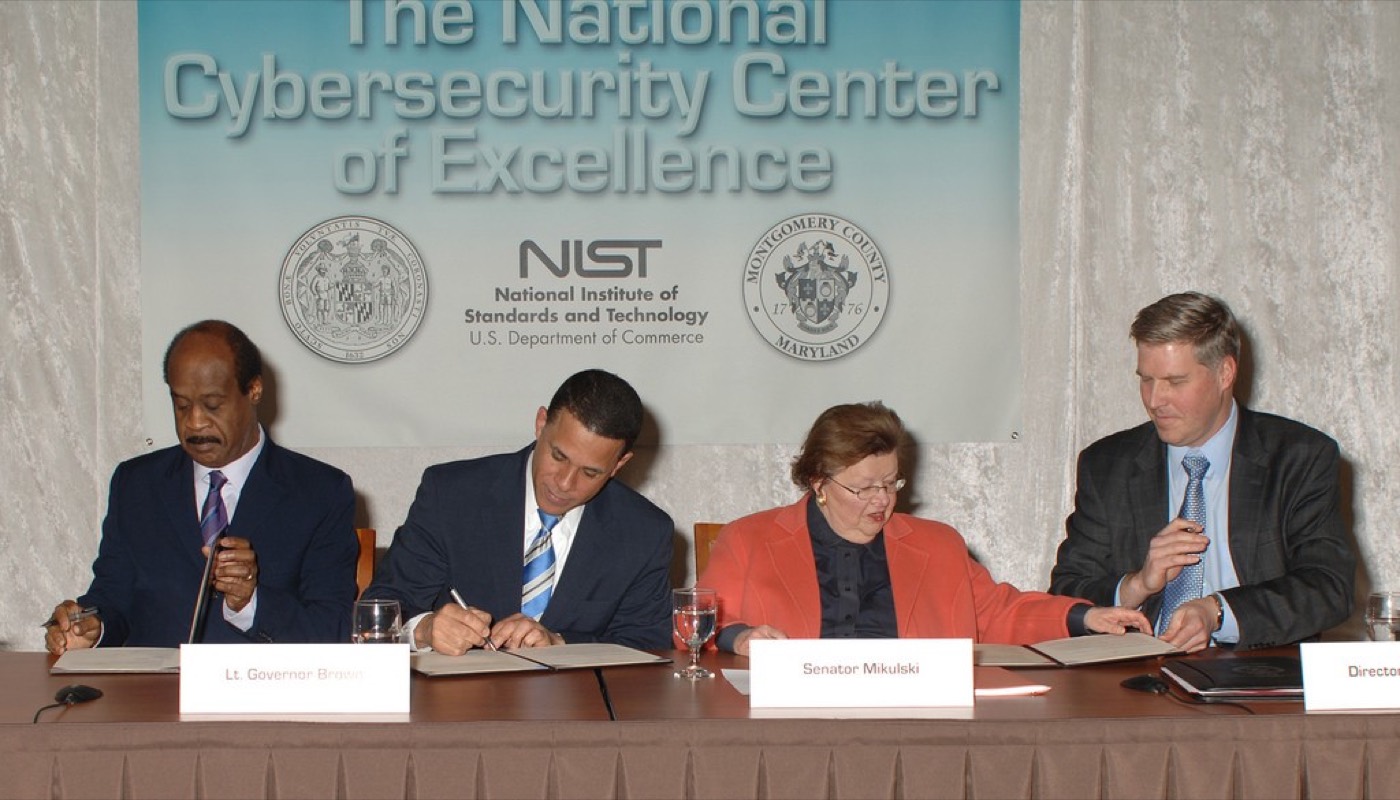
- NIST (National Institute of Standards and Technology), issuer of SP 800-63B digital identity authentication guidance: National Institute of Standards and Technology, Public domain - https://commons.wikimedia.org/wiki/File%3ANIST_Launches_New_Collaborative_Center_for_Cybersecurity.jpg


Primary sources
- ISC2, 'CISSP Certification Exam Outline', effective 15 April 2024 (isc2.org) - Domain 5 weighted 13%; the five sub-domain structure (5.1-5.5); 2024 revision notes (services added to 5.1, AAA retitled 5.2.2, Groups and Roles added 5.2.1). Re-checked by web search 11 October 2026, corroborated by InfoSecTrain's 2024 exam-change guide.
- ISC2, 'Changes to CISSP Exam Weighting', announced November 2023, effective with the 15 April 2024 outline - Domain 1 15%->16%, Domain 8 11%->10%, Domain 5 steady at 13%.
- ISC2's own published history of the CBK restructure from ten domains to eight domains, April 2015 - the former standalone Access Control domain folded into today's Identity and Access Management domain.
- IETF, RFC 6749, 'The OAuth 2.0 Authorization Framework', October 2012.
- OASIS, 'Security Assertion Markup Language (SAML) V2.0', ratified March 2005.
- IETF, RFC 2865, 'Remote Authentication Dial In User Service (RADIUS)', June 2000, formalising a protocol created by Livingston Enterprises in 1991.
- IETF, RFC 8907, 'The Terminal Access Controller Access-Control System Plus (TACACS+) Protocol', informational, September 2020.
- NIST Special Publication 800-63B Revision 4, 'Digital Identity Guidelines: Authentication and Authenticator Management', finalised 31 July 2025 (csrc.nist.gov/pubs/sp/800/63/b/4/final) - supersedes Revision 3 (March 2020); prohibits mandatory periodic rotation absent evidence of compromise and arbitrary composition rules; requires 15-character minimum, 64-character accepted, breach-list checking. Found and re-checked by web search 11 October 2026.
- W3C, 'Web Authentication: An API for accessing Public Key Credentials' - Level 1, Recommendation, March 2019; Level 3, Recommendation, 25 August 2026.
- ISO/IEC 19795-1:2021, 'Information technology - Biometric performance testing and reporting - Part 1' - defines FAR/FMR and FRR/FNMR.
- Verizon, '2025 Data Breach Investigations Report' (verizon.com/dbir) - stolen credentials in ~22% of breaches; 88% of basic web-application-attack breaches. Re-checked by web search 11 October 2026.
- Google Cloud / Mandiant public reporting on the 2024 Snowflake-customer credential-stuffing campaign (threat actor 'UNC5537') - ~165 customer accounts affected, no MFA, credentials stolen by infostealer malware; publicly confirmed affected customers include AT&T and Ticketmaster. Re-checked by web search 11 October 2026 against multiple corroborating reports.
Not regulated financial advice.